
Project management for custom home builders
Run every job like you're on it.
Ridge learns how your company builds, from your phases and checklists to how you'd handle things, then runs every job that way. Schedules, logs, budgets, change orders and homeowner updates live in one place, and its built-in project manager handles the follow-through.
Built in Fayetteville, Arkansas · Works alongside JobTread and QuickBooks · First month free
See it in under a minute
Sound familiar?
The business only grows as far as you can stretch.
You're the one who knows how every job should go. When you're not there, it shows.
Everything lives in five places.
A PM app, a spreadsheet, texts, a binder and your head. Nobody sees the whole picture.
Homeowners only hear from you when they call.
Nobody has time to write six update emails on a Friday afternoon.
Not another app to keep up with. A project manager that keeps up for you.
It knows your way
Your phases, QC checklists, standards and the way you talk to clients are written into Ridge, so a newer PM works to your standard from day one.
It puts everything in one place
Jobs, schedules, tasks, logs, budgets, change orders and homeowner updates, pulled together from the tools you already use.
It does the follow-through
Crew plans, homeowner updates, rain-day reschedules, reports and reminders. Ridge drafts them, you approve, and it keeps them running.
Every job
Every job, from first stake to final walk.
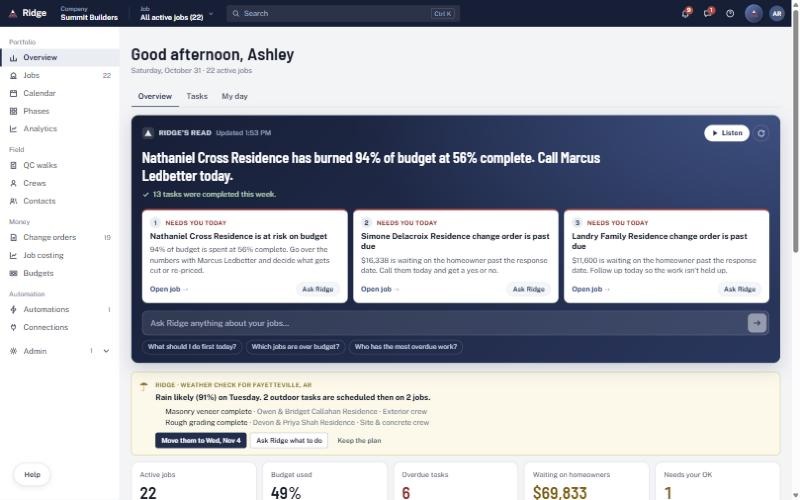
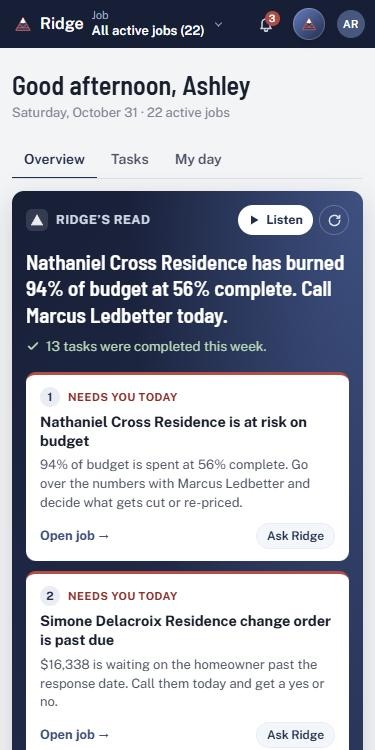
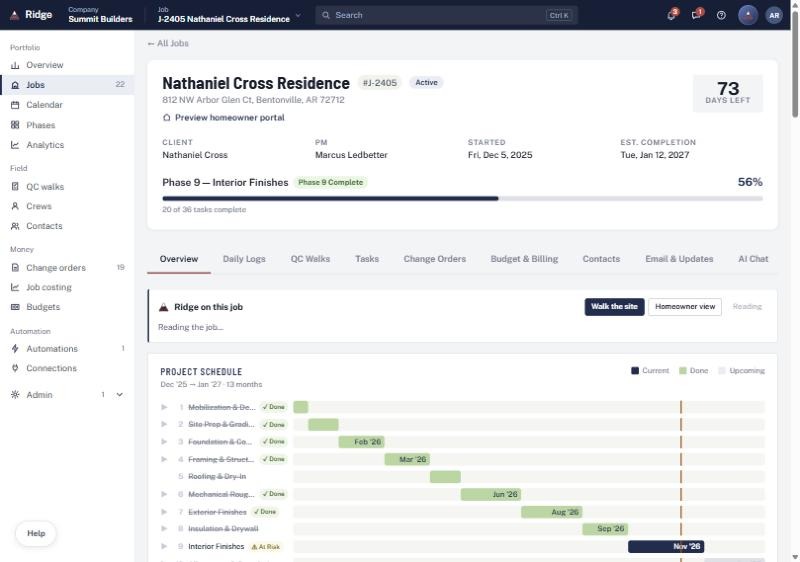
The schedule, daily logs, QC walks, tasks, change orders, budget and homeowner updates for each job live on one page. And the overview reads every job for you each morning and tells you what needs you today.
Weather
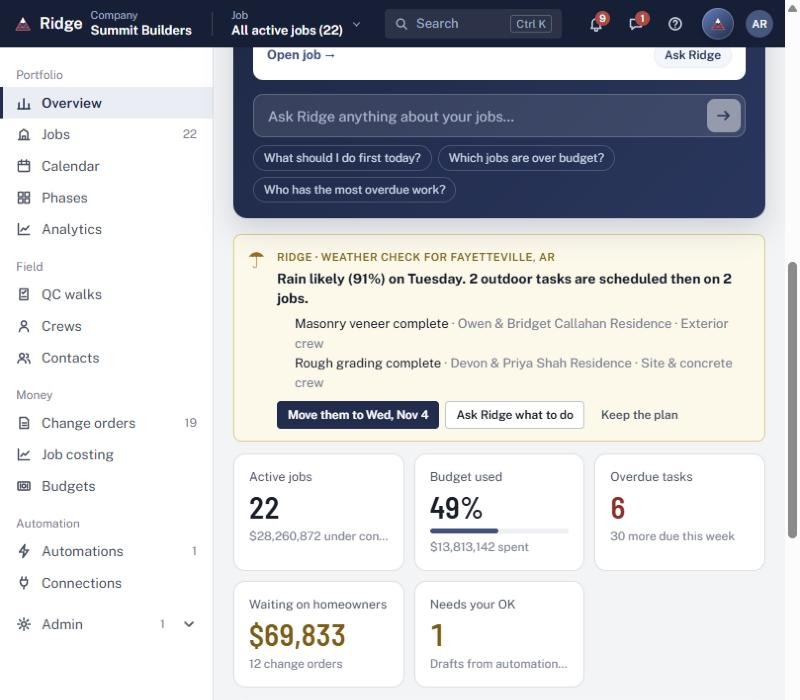
Rain on the way? It's already handled.
Ridge checks the forecast against your outdoor work, finds what's affected on every job, and moves it with one click. Your crews get the new plan and homeowners hear about it. You just approve.
Your standards
Your binder, finally on every job.
Phases, QC walks and checklists the way you run them. Walk a house and talk or record a video; Ridge turns it into the checklist and the fix list.
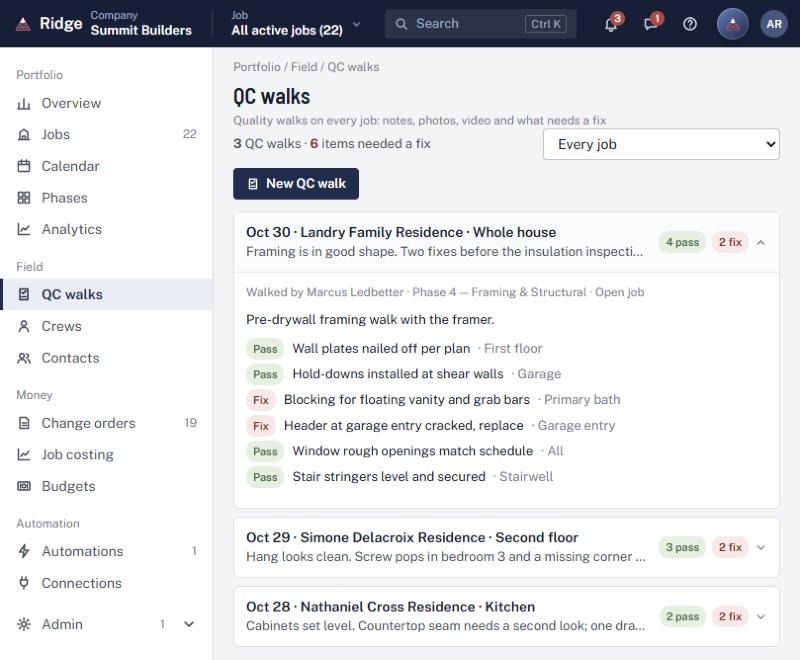
Ask Ridge
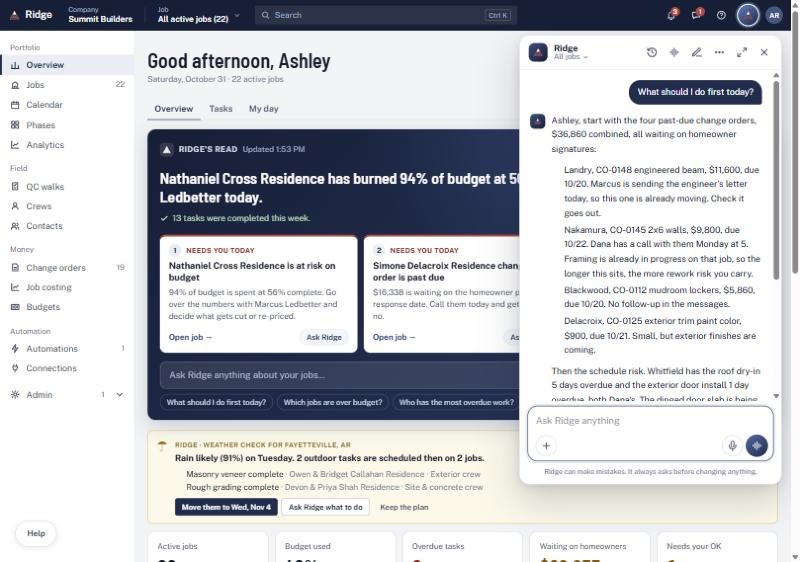
Ask it anything. It answers about your jobs.
"Which jobs are over budget?" "What should I do first today?" "Draft an update for the Whitfields." Anyone on your team can ask out loud or by typing, and Ridge does the work.
Homeowners
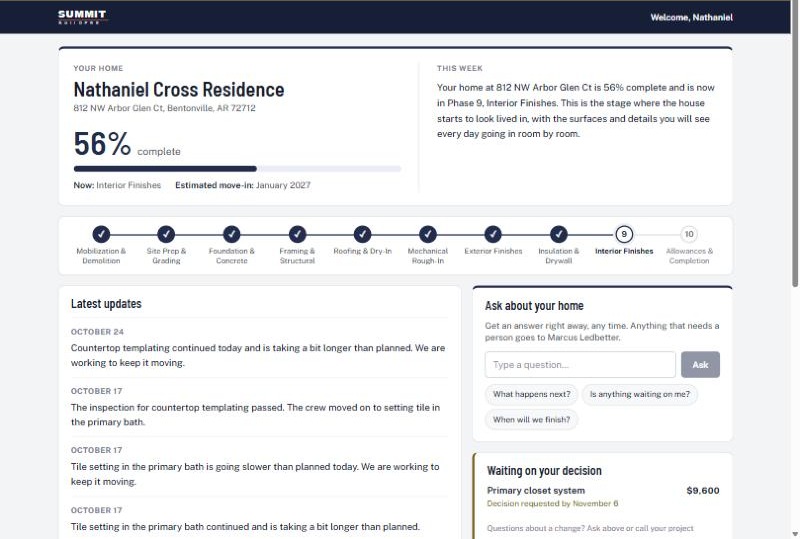
A portal that makes you look as good as you build.
Homeowners follow progress, photos and selections in your branding, and get weekly updates written in your voice. Fewer calls to your office.
The money
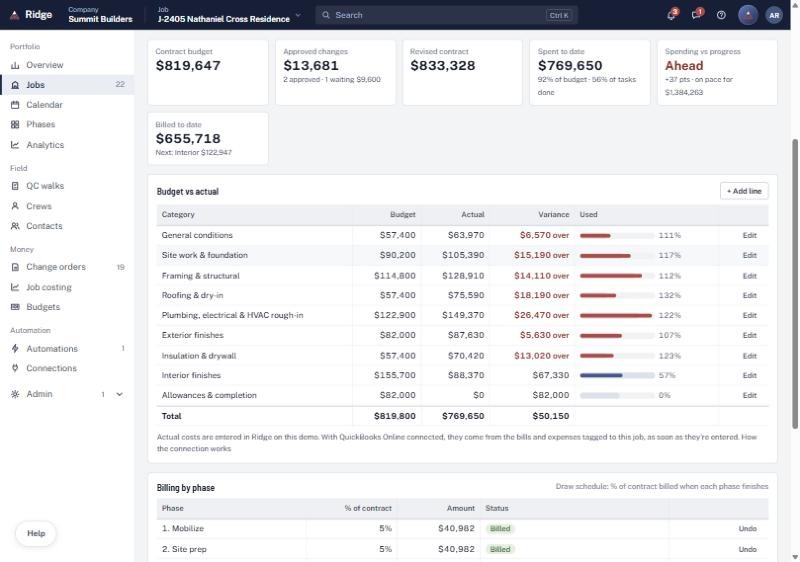
Budget to actual, without the spreadsheet.
Budget by category, spending against progress, and billing by phase with what's ready to bill. See which jobs are spending ahead of the work.
And everything else a job needs
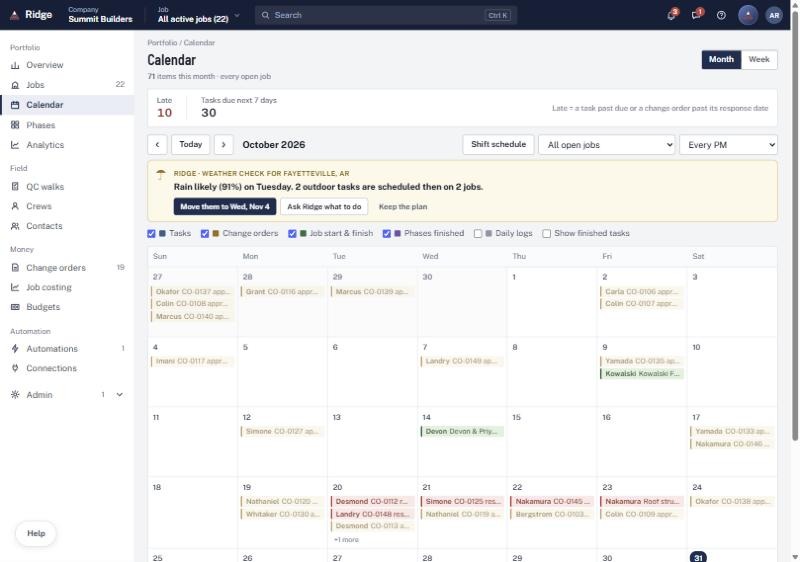
Calendar across every job
Late items in red. Drag a task and see who it affects.
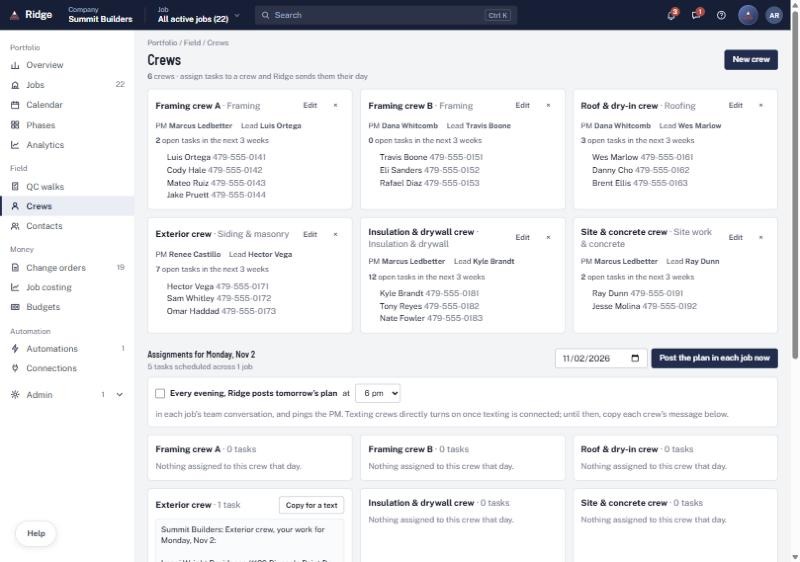
Crews and tomorrow's plan
Each crew's day, sent as a plan, posted to every job.
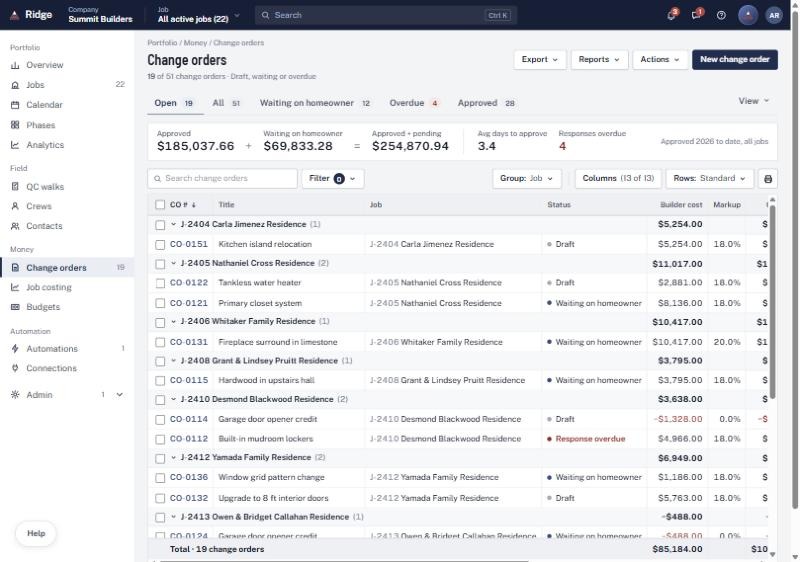
Change orders in a sentence
Describe it; Ridge drafts it, tracks approval and chases signatures.
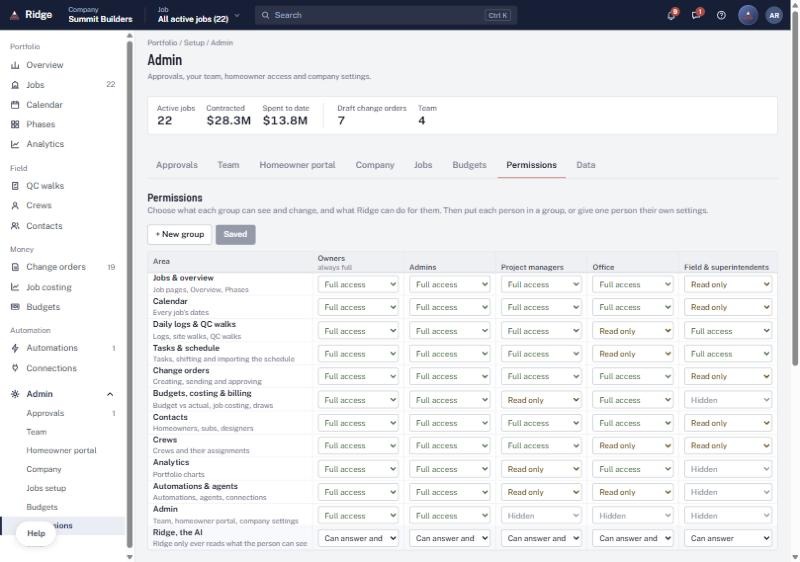
Permissions you control
Field crews see their tasks and logs, not your margins.
- Daily logs from the field, including from a walk video
- Agents that review every job weekly and flag what's slipping
- Automations you set up by describing them
- Scheduled reports in your inbox
- Schedule import from a spreadsheet or JobTread
- Simple view for PMs who want less on screen
Keep what you have
Already using construction software? Good. Ridge works alongside it.
Ridge connects to what you already run, so nothing gets typed twice. Where a platform doesn't share its data, Ridge holds the job information itself, so you're never stuck.
JobTread
Reads your jobs, schedules and budgets
QuickBooks Online
Bills and costs for budget to actual
Google & Microsoft email
Updates go out from your own address
Spreadsheets
Schedules and job lists import in minutes
You stay in control
AI that works for you, on your terms.
Nothing goes out without your OK
Every agent starts by asking before it acts. As you get comfortable, you decide what it handles on its own.
You own your data
Export it any time. It's never sold, and it's never used to train AI models.
Everyone sees the right things
Permissions by role, down to what Ridge's AI can read and do for each person.
Getting started
Live in about two weeks.
- 1
Kickoff call
We walk through how you run a job: your phases, checklists and standards. Bring the binder.
- 2
Set up around you
Ridge is configured with your process, connected to your software and loaded with your active jobs.
- 3
Your team is live
One training session, then Ridge runs your jobs. Usually about two weeks from the first call.
Ridge is already built. Setting it up means teaching it the way you build, not writing new software.
Pricing
One plan. Everything included.
A company fee plus a fee for each office person who logs in
Field crews, subs and homeowners are always free. First month free.
- Every job, schedule and task in one place, on phone and desktop
- Your phases, QC walks and checklists
- Ridge's built-in project manager and Ask Ridge
- Weather reschedules, crew plans and homeowner updates
- Homeowner portal in your branding
- Budget to actual and billing by phase
- Agents, automations and scheduled reports
- Connections to the tools you already use
Founding builders
Five spots at a lower rate, locked for two years.
In return, we ask for honest feedback and, if you love it, a reference.
Questions builders ask
We already use JobTread (or Buildertrend). Do we have to switch?
No. Ridge works alongside what you have. It connects to JobTread and QuickBooks so nothing is typed twice. Where a platform doesn't share its data, Ridge holds the job information itself, and you can run on Ridge alone if that ever makes more sense.
What if the AI gets something wrong?
Nothing goes to a homeowner, crew or sub without your OK. Ridge drafts, you approve. You decide over time what it's allowed to handle on its own.
How long does setup take, and how much of my time?
About two weeks from the first call. Your part is a kickoff conversation about how you run jobs and one training session for your team.
Who owns our data?
You do. You can export it any time. It's never sold and never used to train AI models.
Does it work on a phone at the job site?
Yes. Daily logs, QC walks, photos, tasks and Ask Ridge all work on a phone. Your crews only see what you allow.
What does it cost?
One plan with everything included: a company fee plus a fee for each office person who logs in. Crews, subs and homeowners are free, and the first month is free. We'll give you the exact number on the call.
Who builds Ridge
Local, and a phone call away.
I'm Isaiah Kroll. I run Kroll Consulting in Fayetteville, Arkansas, and I build Ridge.
My background is operations and systems: building the tools that keep complicated work on schedule. Ridge came out of doing that for a custom home builder.
You work directly with the person who builds it. When you want Ridge to do something new, you call me, and it gets built.
See Ridge with your own jobs.
Thirty minutes. Bring the job that keeps you up at night, and we'll show you how Ridge would run it.
Book a demo